
New: Kling Image 4.0, announced November 17
Kling Image 4.0 GeneratorCreate Kling AI images online, up to 4K
Type a prompt or add reference photos and render it with Kling's image models right in your browser: Kling O3 for 4K detail and edits, Kling V3 for four takes at once.
What is Kling Image 4.0?
Kling Image 4.0 is the newest image model from Kling AI, the Kuaishou team behind the Kling video models. It was announced on November 17, 2026 and is built for photographic realism, accurate typography and sets of images that share one look.
- Kling says it is the first image model to output native 8K, and that a single prompt can return up to 10 related images in a matching style.
- Text inside the image is a headline feature: Kling reports up to 2,000 characters per image, in seven languages.
- On KlingImageAI you create with Kling's image models in the browser today: Kling O3 renders up to 4K and edits with reference photos, and Kling V3 returns up to four images per prompt.
Sources: Launch coverage (VP Land) · Kling AI press release
Kling AI image prompt ideas
Twelve prompts that play to what Kling Image 4.0 is built for: realistic photos, readable type, product shots and consistent series. Hover a card to copy the prompt or open it in the generator.
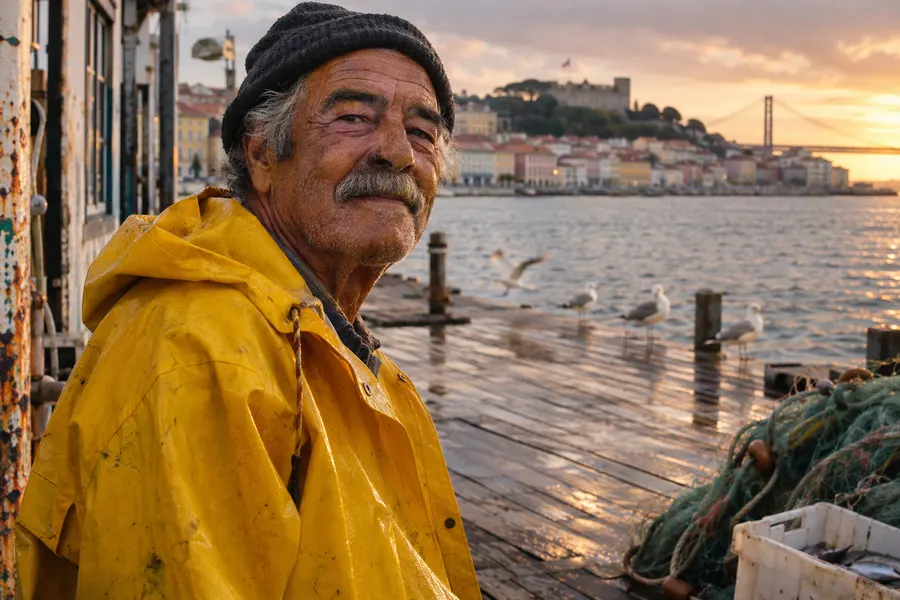
A candid 50mm street portrait of an elderly fisherman in a bright yellow raincoat on a wooden pier in Lisbon at golden hour, wet planks, seagulls softly out of focus behind him, natural weathered skin texture, shallow depth of field, true-to-life color.
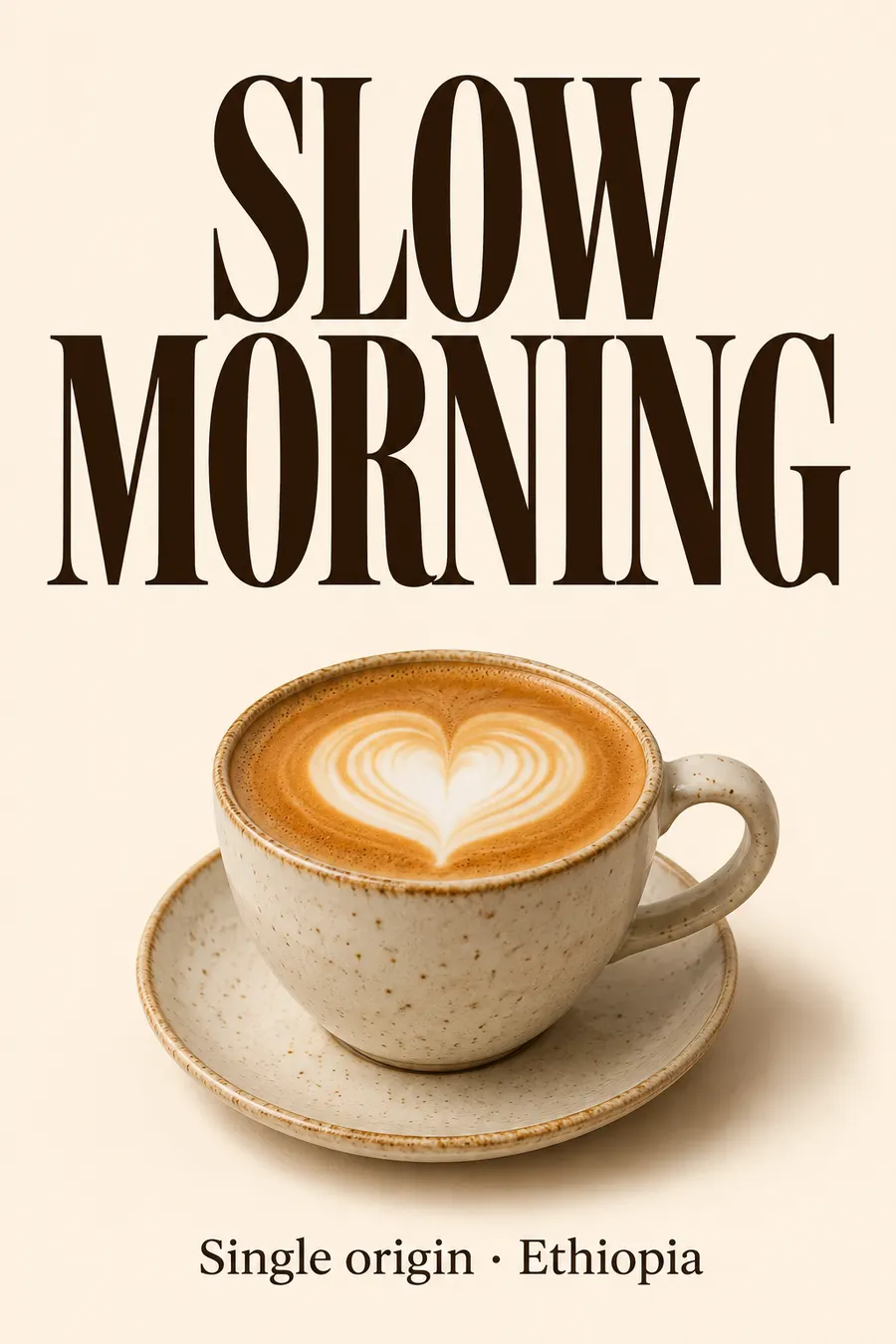
Use in generatorA minimalist coffee shop poster. Large bold condensed serif headline that reads "SLOW MORNING". Below it a ceramic cup of latte with heart latte art on a warm cream background. A small caption at the bottom reads "Single origin · Ethiopia". Clean editorial layout, crisp typography.
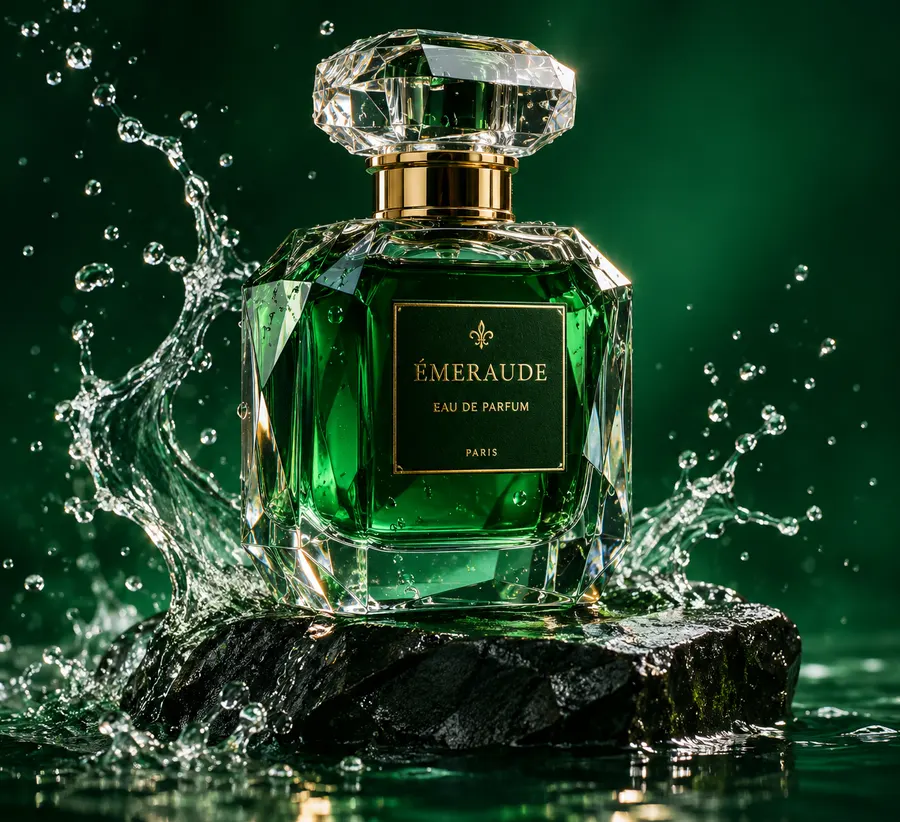
Use in generatorLuxury advertising product photo of a faceted glass perfume bottle standing on a wet black stone, water splashes frozen mid-air around it, soft rim light, deep emerald green background, high-end studio photography, razor-sharp detail.
Use in generator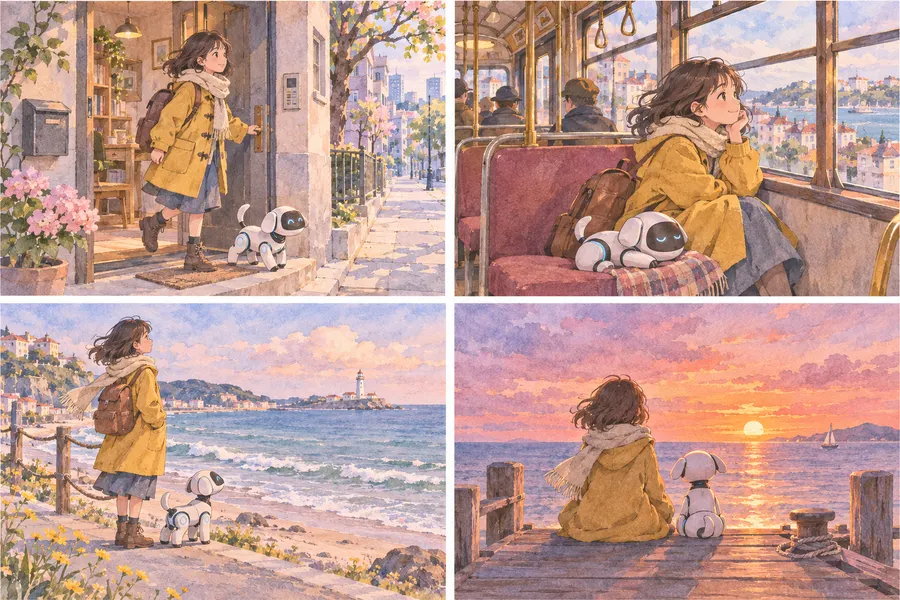
A four-panel storyboard in a 2x2 grid, soft watercolor style: a girl in a yellow coat and her small white robot dog leave a city apartment, ride a tram, reach the seaside, and watch the sunset on a pier. Same characters, clothes and palette in every panel.
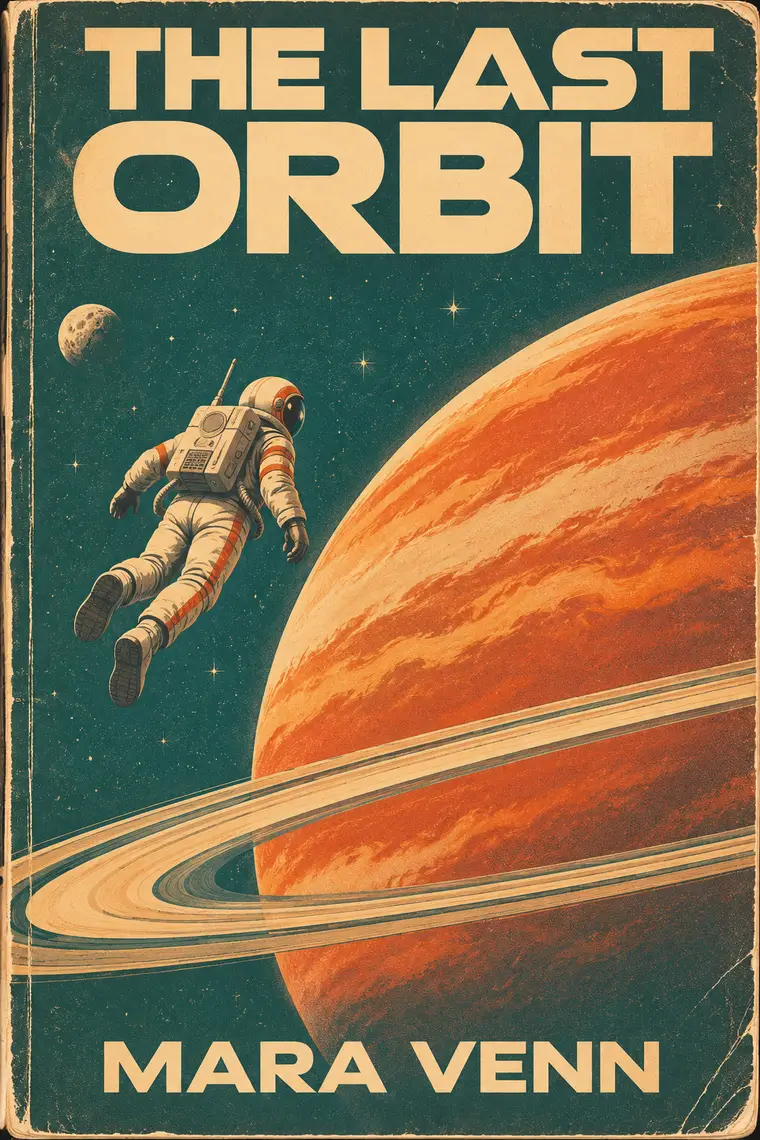
Use in generatorA retro science-fiction paperback cover. Title reads "THE LAST ORBIT" in bold geometric letters at the top, author line reads "MARA VENN" at the bottom. A lone astronaut floating above a huge ringed planet, 1970s palette of burnt orange, teal and cream, subtle paper texture.
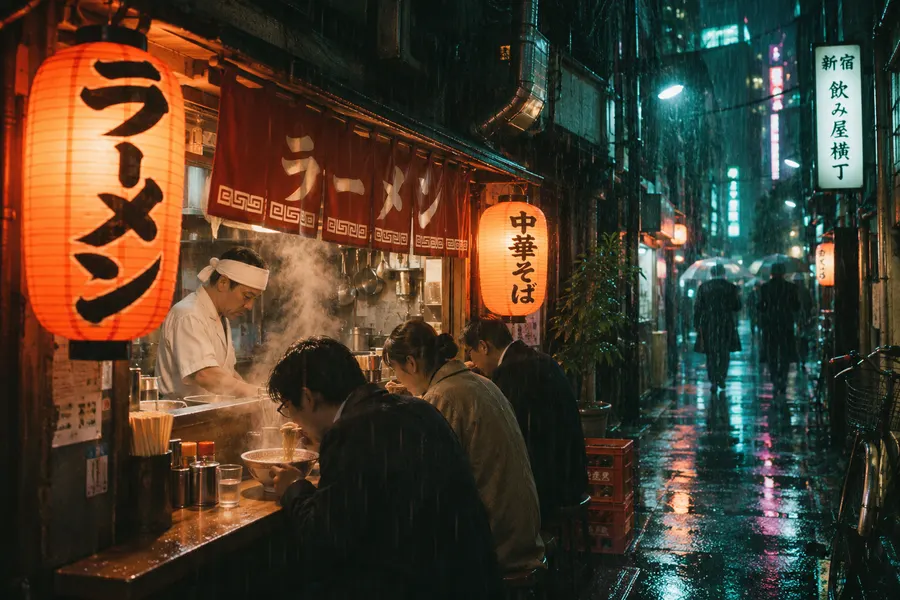
Use in generatorA cinematic night photograph of a tiny ramen stall in a narrow Tokyo alley during rain, glowing paper lanterns, steam rising from bowls, reflections on wet asphalt, a cook in a white headband, 35mm film grain, teal and amber light.
Use in generator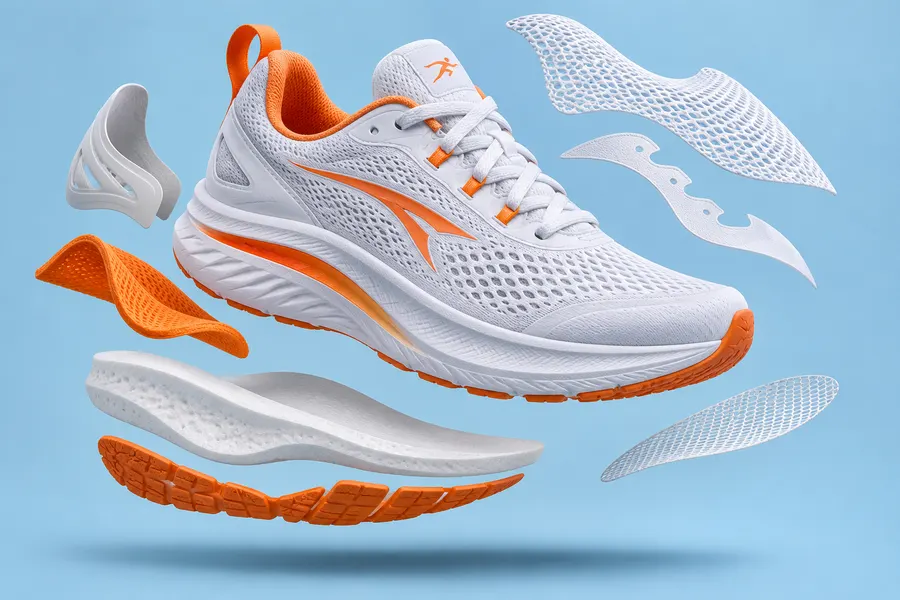
E-commerce hero image: a white running sneaker with orange accents floating above a pastel blue backdrop, foam and mesh pieces deconstructed and hovering around it, soft studio lighting, gentle shadow below.
Use in generator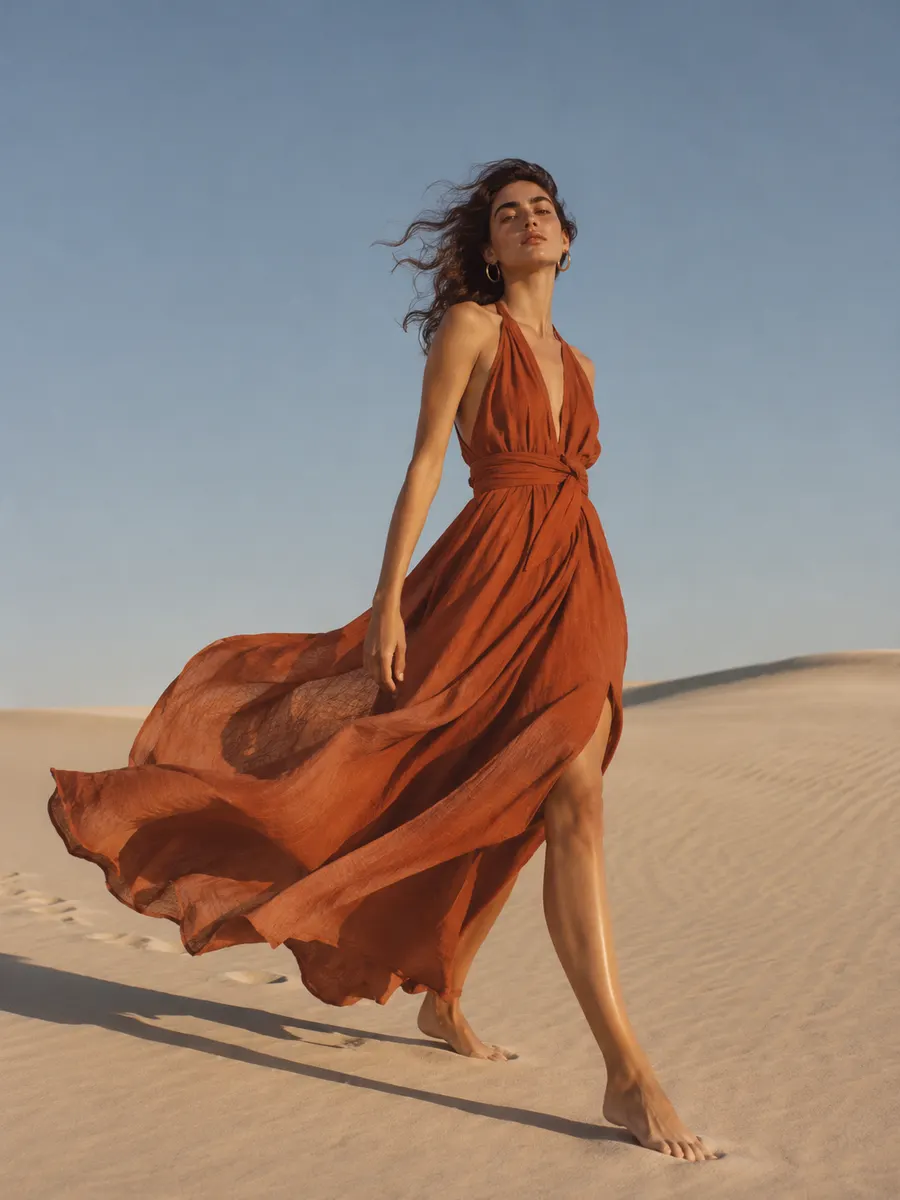
Fashion editorial photograph of a model in a flowing terracotta linen dress walking across pale sand dunes, long late-afternoon shadows, wind lifting the fabric, minimal composition with open sky, natural film color.
Use in generator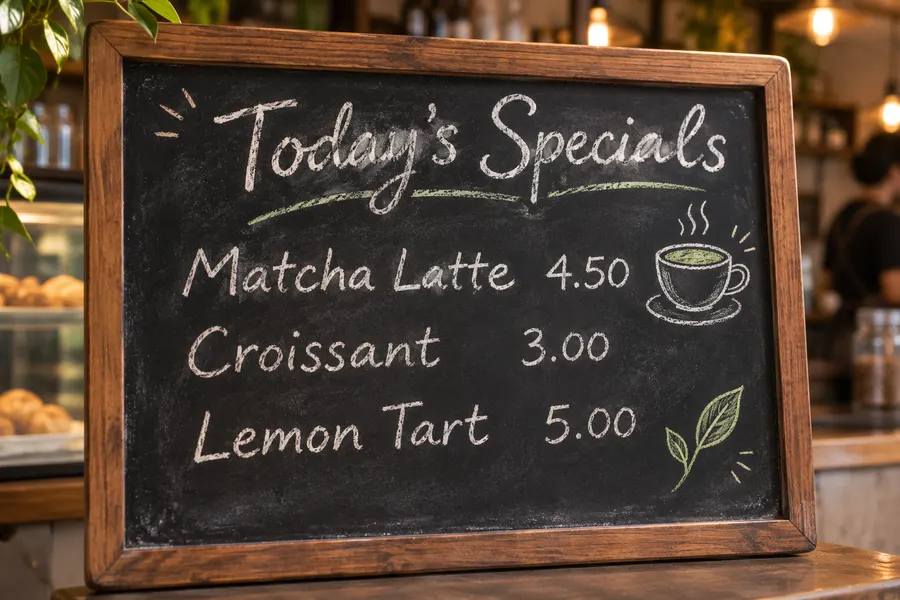
A café chalkboard menu in a wooden frame. Handwritten heading reads "Today's Specials". Three lines below read "Matcha Latte 4.50", "Croissant 3.00", "Lemon Tart 5.00". Small chalk doodles of a cup and a leaf, warm café background out of focus.
Use in generator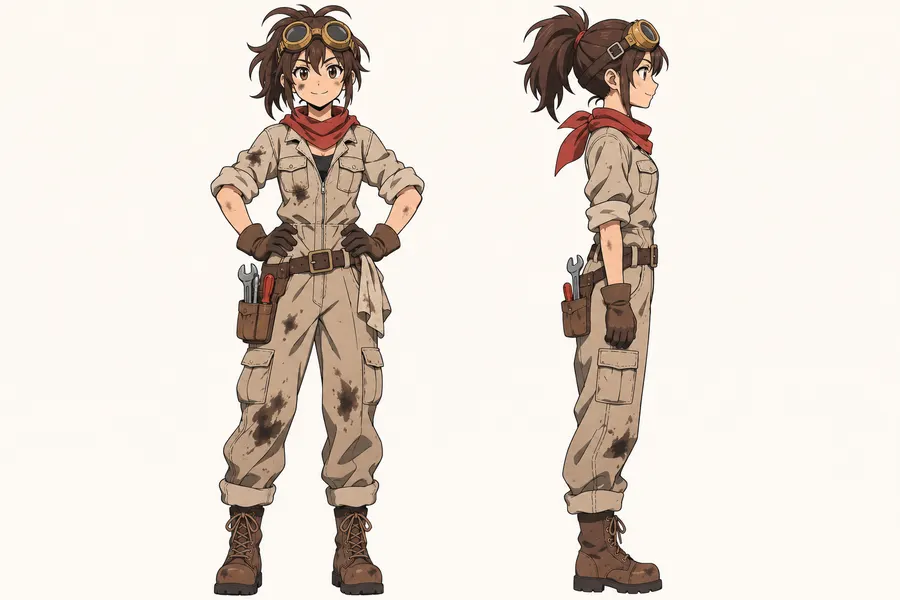
Anime-style character turnaround of a young mechanic girl with brass goggles on her forehead, a red scarf and an oil-stained jumpsuit, front view and side view side by side, clean line art, flat cel shading, plain off-white background.
Use in generator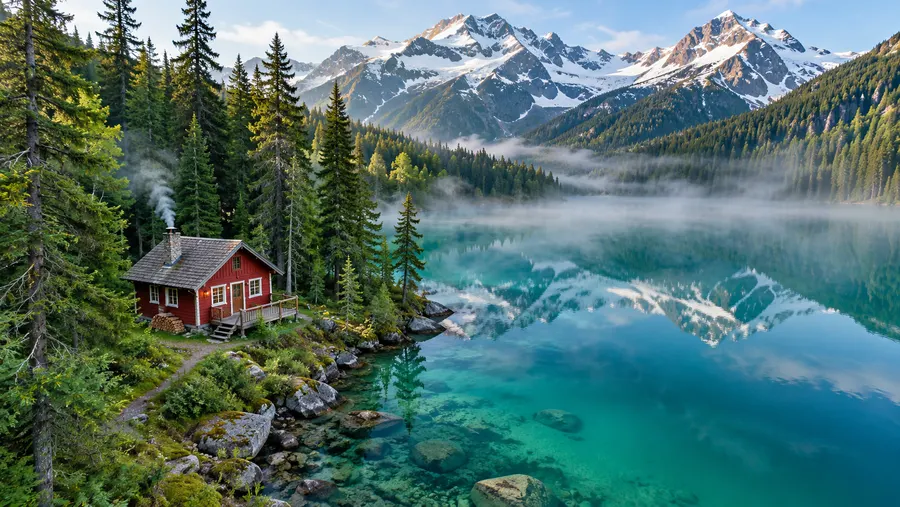
Aerial drone photograph of a small red wooden cabin beside a turquoise alpine lake, dense pine forest and snow-capped peaks, thin morning mist over the water, ultra-detailed natural textures.
Use in generator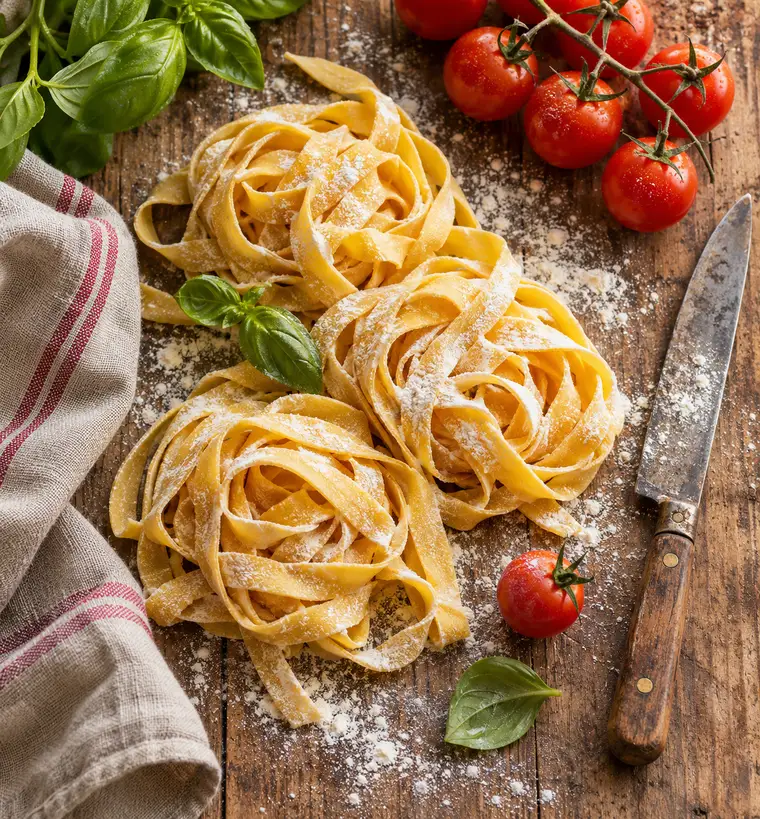
Overhead food photograph of a rustic wooden table with fresh handmade tagliatelle, basil leaves, cherry tomatoes on the vine and a dusting of flour, a linen napkin and an old knife, soft window light, warm tones.
Use in generatorWhy create Kling images here
One browser tab for Kling's image models, set up for the work Kling Image 4.0 is aimed at.
Draft fast, finish in 4K
Try an idea at 1K, then rerun the same prompt on Kling O3 at 2K or 4K for print, wallpapers and ad creatives, without leaving the page.
Edit with your own photos
Add product shots, a character or a room as references and Kling O3 builds the new image around them. Say what must stay the same and it keeps it.
Four takes from one prompt
Kling V3 returns up to four images per run, so you can pick the best composition or keep a set that already matches.
Failed runs give credits back
If a generation fails, its credits go straight back to your balance, so testing a difficult prompt costs nothing when it does not finish.
How to use the Kling AI image generator
Three steps from an idea to a downloaded image.
- 1
Describe the image
Write one scene in plain sentences: subject, setting, light and camera. Put any words that must appear in the image in quotes.
- 2
Pick Kling O3 or Kling V3
Use O3 for 4K detail and reference edits, or V3 when you want several variations. Then set the aspect ratio and size.
- 3
Generate and download
Run it, compare the results in your history and download the images you want to keep.
What people make with Kling AI images
Kling's image models do best where realism, clean type and consistency matter.
Product and ad creatives
Studio shots with real material texture, or put your product photo into a new scene with a reference edit.
Posters, covers and menus
Layouts with a short quoted headline: event posters, book covers, café menus and social graphics.
Storyboards and character sheets
Keep the same character, outfit and palette across panels to plan a video, a comic or a campaign.
Fashion and lifestyle photos
Editorial-style shots with natural skin, fabric and light for lookbooks, mood boards and social posts.
Kling image prompt tips
Kling's image models follow concrete, photographic descriptions best. These habits get you there faster.
Start with the kind of image
Open with the medium: "a 50mm street portrait", "a minimalist poster", "a four-panel storyboard".
Name the light and the lens
Golden hour, window light or neon; a 35mm or 85mm lens; shallow depth of field. These words shape realism more than adjectives do.
Quote every word you want printed
Put headlines, labels and prices in quotes and say where they go. Short lines render most reliably.
Repeat details to keep a series
For matching images, reuse the same character description, clothing and color palette in every prompt, or add the first image as a reference.
For edits, describe the result
Write what the finished image should show and what must stay unchanged, for example: put the bottle on a beach at sunset, keep the label exactly as it is.
Kling Image 4.0 FAQ
Quick answers about Kling Image 4.0 and creating Kling AI images here.
Start creating Kling AI images
Sign up and get 12 free credits, enough for your first two images.